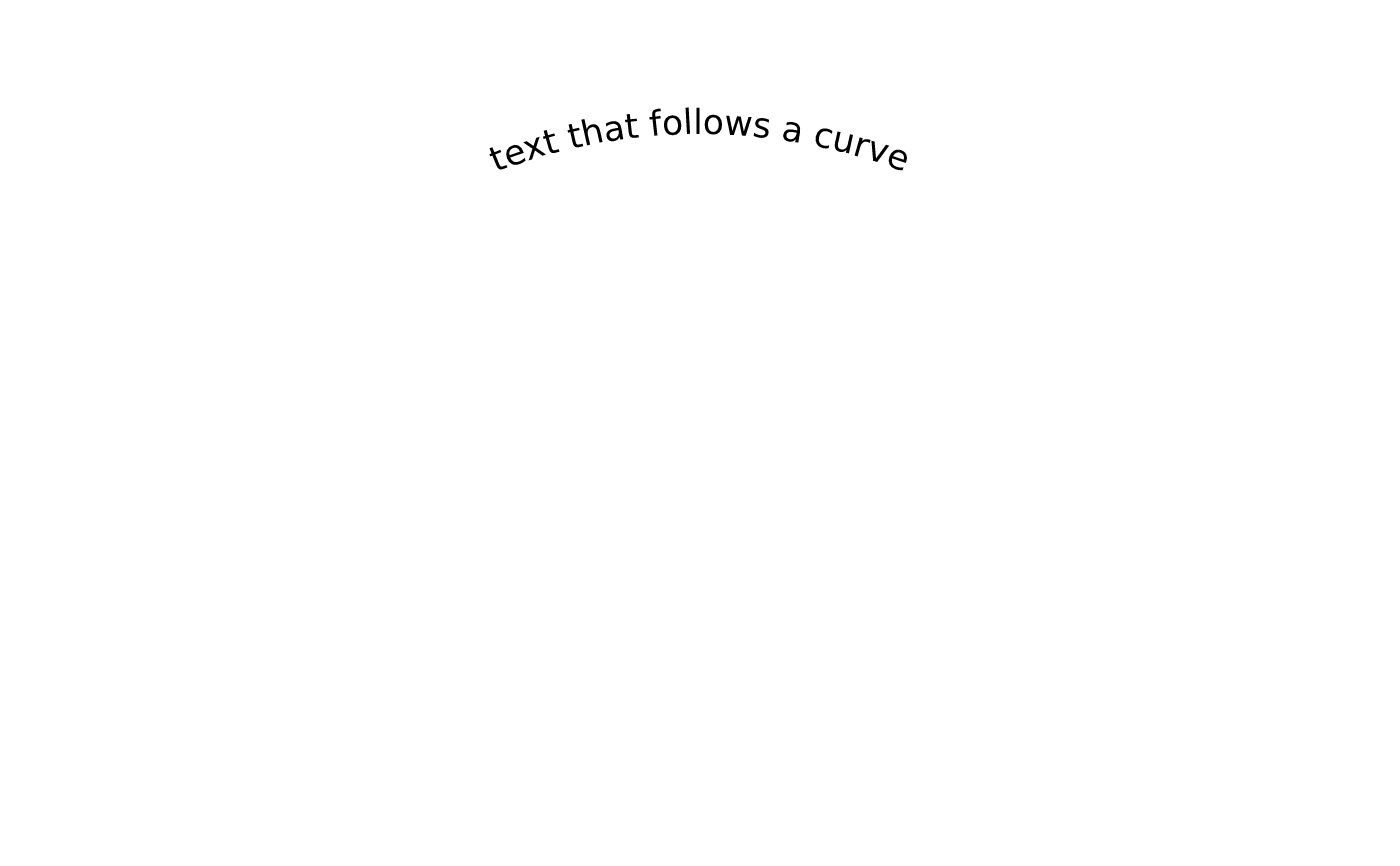
text_path_grob() places a label along a polyline baseline instead of at a
point: each glyph keeps the pen position shaping gave it and is drawn at that
distance along the path, rotated to the local tangent. Use it for labels that
follow an arc, a contour, a river or a curved axis.
Usage
text_path_grob(
  label,
  x,
  y,
  just = "centre",
  offset = 0,
  gp = vl_gpar(),
  name = NULL,
  vp = NULL,
  id = NULL,
  role = NULL
)
Arguments
- label
A single character string.
- x, y
The baseline path, as unit vectors of equal length.
- just
Justification:
c(hjust, vjust)as names ("left","centre","right","bottom","top") or numbers in[0, 1].- offset
Perpendicular standoff from the baseline in points; positive is to the left of the direction of travel.
- gp
Graphical parameters, from
vl_gpar().- name
Optional name (for
edit_node()).- vp
Optional
vl_viewport()to draw this grob inside.- id
For most grobs, an optional semantic identifier emitted by the SVG backend as
data-vellum-id(for interactivity, accessibility, and testing; ignored by raster/PDF). Forpath_grobonly,idinstead groups points (one value per point) into closed sub-paths: all points sharing anidform one sub-path (so a hole is a separateid), in first-appearance order (à la grid);NULLmakes a single sub-path.- role
Optional ARIA role, emitted by the SVG backend as
role=for accessibility (ignored by the raster and PDF backends).
Details
The path is a sequence of points, exactly like lines_grob() — pass the
output of bezier_grob()-style control points already flattened, or any
polyline. Arc length is measured on the rendered path, so the result adapts
to the viewport the grob is drawn in.
just does double duty: the horizontal component slides the run along the
baseline ("left" starts at the first point, "centre" centres it,
"right" ends at the last), and the vertical component positions the glyphs
against the baseline as it would for ordinary text. For finer control of the
standoff — a label riding just above a curve rather than sitting on it — use
offset.
Glyphs follow the tangent, as in SVG textPath: a label on the underside
of a closed curve reads upside-down. That is the honest result of the
geometry, and the fix is to reverse the path rather than the glyphs — set the
lower arc as a second text_path_grob() whose points run the other way.
Glyphs are placed one per character. For Latin text that is exact; scripts where shaping produces a different number of glyphs than characters (Arabic, Devanagari, and ligature-heavy fonts) will still draw, but the per-glyph text recovered by PDF copy-paste and by SVG native text degrades to the whole label on the first glyph.